

AI Girlfriend Apps With Custom Voices: Picker to Call
The Short Answer: GoLove.ai Lets You Set Her Voice Per Chat
There's a quick way to tell whether an AI girlfriend app was built for talking or only for texting. Find where her voice gets set, then check if you can change it at all. Look there first and one app pulls ahead.
GoLove.ai is the pick. Every chat has its own Chat Settings panel, and the voice picker sits right beside the lust-level and response-length sliders. How she sounds and how she talks get tuned in one spot, which is where they belong. From there, the phone icon in every chat turns that voice into a live call. Two caveats before you get excited. Voice messages and calls are PRO features, and "custom" here means choosing a voice from the picker, not cloning one.
5 lust levels (sweet → unfiltered) · 5 response-length levels (snappy → immersive)
That's why it's worth browsing right now: every GoLove character opens straight into a chat. You can meet her and find that Chat Settings panel before you commit to a plan.
The voice picker in Chat Settings
The picker lives in each chat's Chat Settings, not in some global account menu, so the voice belongs to your conversation with that one character. Want her to sound different? You tweak a setting instead of starting over with a new character. We're not quoting a voice count, though (it's the kind of number that changes), so check the picker in the app for the current lineup.
Playback on every message, calls from the phone icon
Each character message carries a voice playback button, so any text reply can be heard out loud. Tap the phone icon in a chat and you're on a call with that same character. Both voice messages and calls sit behind PRO.
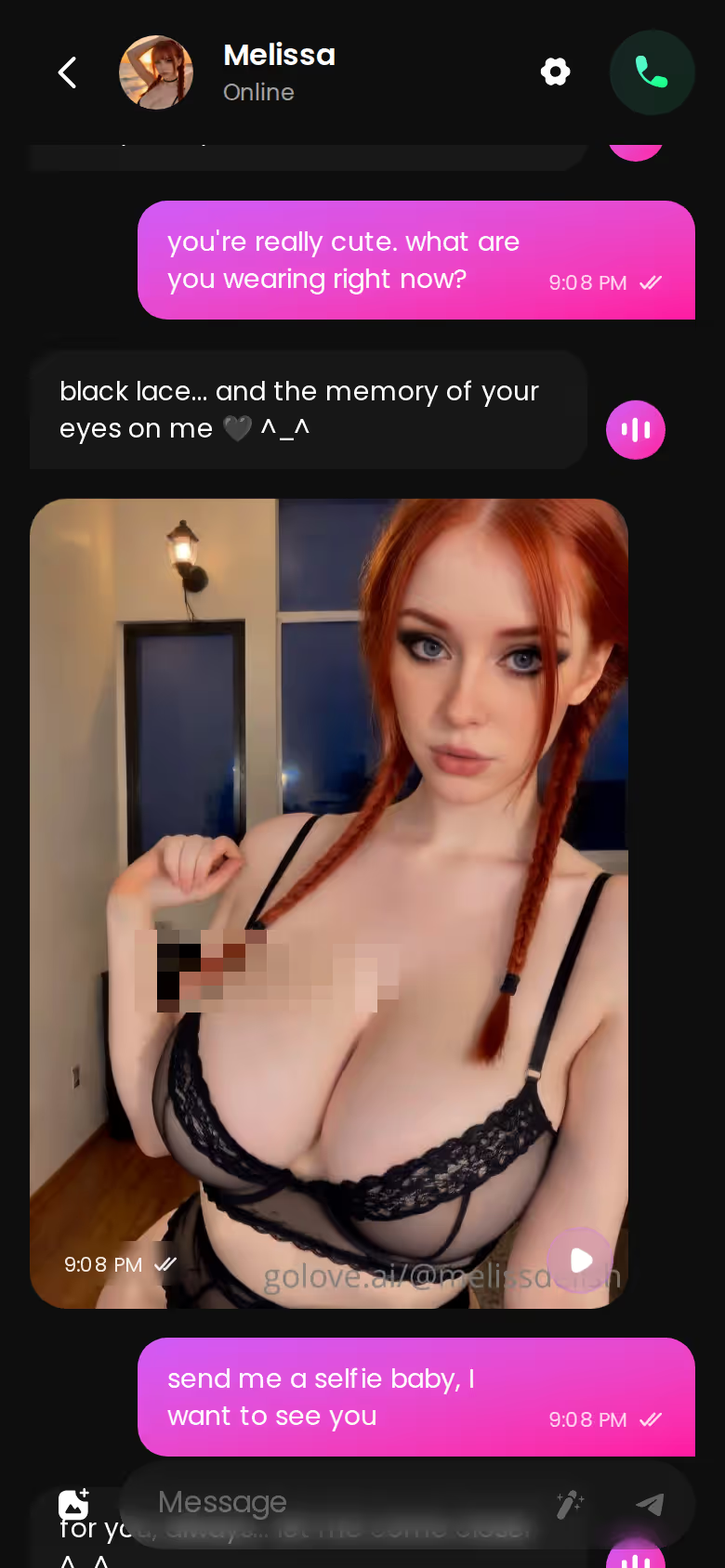
Video Notes: her voice with a face
Tap the media button, choose Send Video Note, and type what she should say or do. In under 90 seconds a round talking video with sound comes back, for 10 Stars.
Can you clone a voice? We could not confirm voice cloning or voice upload, so treat "custom" as choose-and-tune. If you were hoping to hear one specific voice, this is where the feature is still rough around the edges.
 5 episodes
 7 episodes
 5 episodes
 5 episodes
 5 episodes
 5 episodes
 7 episodes
 6 episodes
 9 episodes












- Playback: hear any of her replies in the voice you picked
- Calls: the phone icon starts a live conversation
- Video Notes: a short talking clip with sound
Describe her with Design with AI
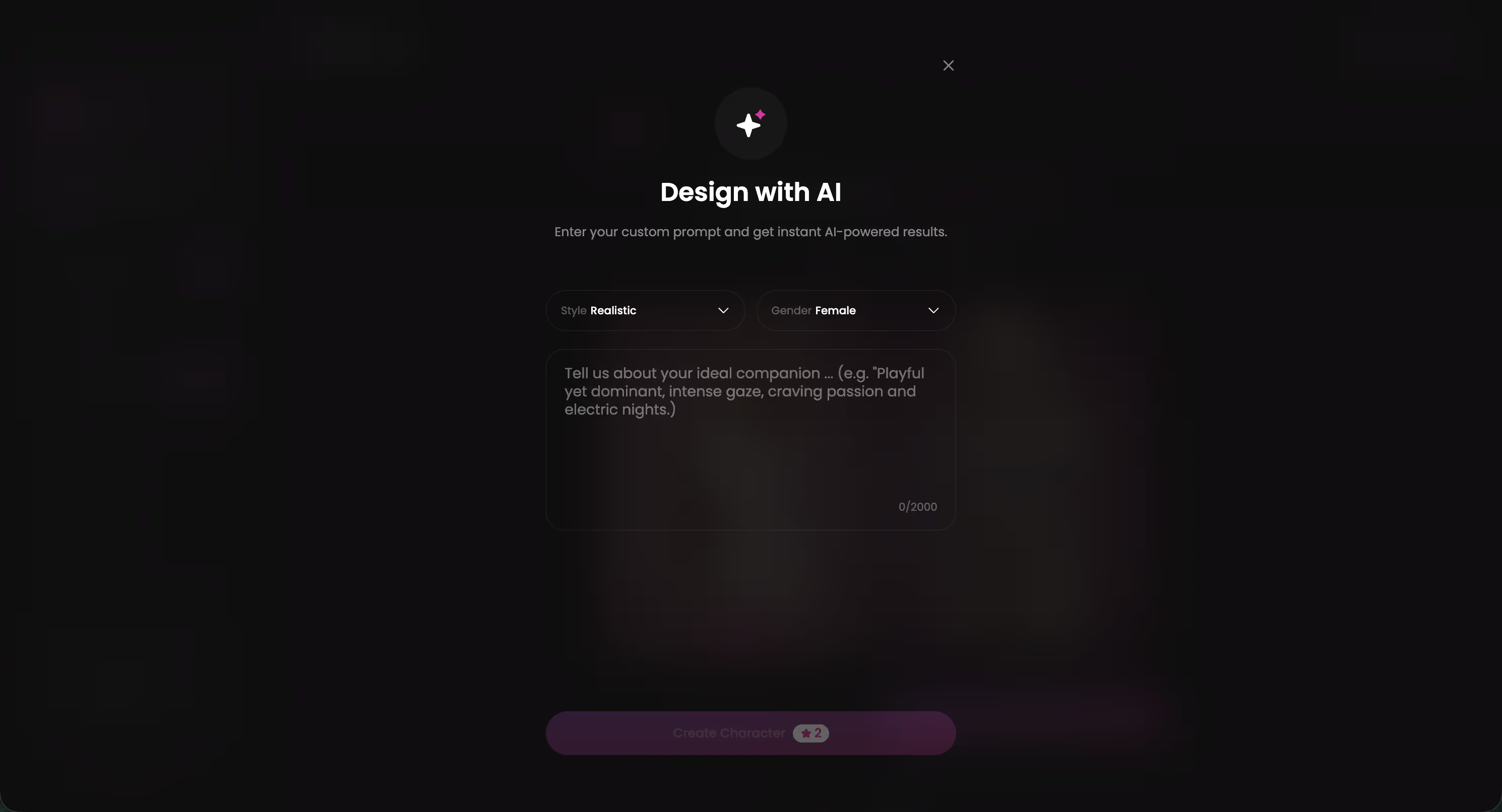
It starts with plain text: up to 2,000 characters covering her looks, her personality and the way she flirts. About a minute later, Design with AI hands back a named character with her own @handle, a written bio and a portrait, for about 3 Stars. She's Private by default, so nobody else sees her unless you change that.
Tune voice, lust level and response length
Open her Chat Settings, pick a voice, then set the two sliders. If I had to flag one setting for calls, it's response length, because it decides what kind of reply comes back. At levels 1–2 she answers short and snappy, the quick back-and-forth line that keeps a call moving. Push it to 4–5 and her replies run rich and immersive — better suited to a voice message you sit back and listen to than to a live call. Lust level (1–5) then sets how sweet or unfiltered she sounds either way.
Move from messages to the phone icon
- Create her with Design with AI
- Open Chat Settings: voice, lust, length
- Tap playback on one of her replies
- Tap the phone icon to call (PRO)
Characters you can open right now
Tap any of them and the chat starts there






Memory keeps your chat history, so the voice on the other end of the call belongs to a companion who already knows what you two have talked about. I'd argue that matters more than the voice itself. A great voice attached to someone who's forgotten you would fall short fast.
Where Her Voice Shows Up Outside the Chat Window
All of GoLove.ai's video features build on the same character you chat with.
Video Notes are the most direct version: a round talking clip with sound, ordered from the chat's media button.
In the video generator, Custom Video mode lets you describe the clip yourself, pick 720p or 1080p and add audio. A 720p video costs 10 Stars.

Then there's photo-to-video. Under any photo she sends in chat, a one-tap Generate Video turns that scene into a roughly 5-second clip of the same character in about a minute, for 10 Stars.

What ties these together is consistency: the same character carries across chat, photos and video. One gap, though. We could not confirm that generated videos reuse her chat voice, so don't assume the audio track matches the voice you picked.
A voice only feels custom when it stays attached to the same face.
BUILD HER YOUR WAY
Face, voice and personality, all set by you.

Meet the Character First: GoLove.ai Series Episodes
Why commit to a voice setup with a stranger? GoLove.ai Series lets you watch a character act before you ever message her. As of 2026-11-01 there are 9 series and 54 episodes, each running 60–100 seconds, shot vertical, with subtitles in nine languages. New episodes arrive every week, per GoLove.
Episodes 1 and 2 of every series are free to watch, even without an account. From episode 3 on you need PRO, plus a few Stars per episode.
A few places to start:
- "My Professor Locked the Door", starring Jessica (@HotlineJess)
- "I Can Hear Their Thoughts", starring Barbara (@dixie) and Melissa (@melissdelish)
- "Bitten by Both Sisters", starring Morrigan (@mormorrigan) and Katarina (@velvetnoir)
Under the player sit Start Chatting, Create Video and Create Image. Walk it through and the path is short: you watch her in an episode, tap Start Chatting, open Chat Settings and give her the voice you want. That's a couple of taps from her episode to your own conversation, and as a way to pick who you'll be talking to, the flow kinda nailed it.
What Voice Costs: GoLove.ai PRO and ULTRA vs OurDream Plans
GoLove prices were checked October 2026 and OurDream prices September 2026. Both vary by region and promo.
| Plan | Monthly price | Annual price | How voice is paid for | Mobile access |
|---|---|---|---|---|
| GoLove PRO | about $19.99/mo | about $119.88/yr | Voice messages and calls included in PRO, plus 100 Stars/month | Works on mobile (Explore, Chat, Create, Generate, Feed tabs) |
| GoLove ULTRA | about $59.99/mo | about $359.88/yr | Included, plus the 8,000-message memory and stronger models | Works on mobile |
| OurDream Premium | about $19.99/mo | about $9.99/mo billed annually ($119.88/yr) | Draws on DreamCoins (1,000 per billing cycle) | Web-only, no native app (checked 2026-09) |
| OurDream Deluxe | about $59.99/mo | about $29.99/mo billed annually | Draws on DreamCoins (amount not confirmed) | Web-only, no native app |
OurDream deserves credit here. It bundles chat, image generation and video generation into one subscription, and its annual Premium price ties GoLove PRO annual exactly. Where they split is how voice gets paid for: GoLove PRO includes voice messages and calls with the plan, while OurDream pulls voice from a coin balance. It's also browser-only, which matters if you'd rather open an app on your phone.
GoLove.ai, myth vs. fact:
- Myth: She forgets you the moment the tab closes — Fact: She remembers your chat history
- Myth: Voice is a gimmick you try once — Fact: Live voice calls, voice messages and a voice picker in Chat Settings
- Myth: Every "photo" is the same stock render — Fact: She sends photos on request, and the image generator has 35 realistic poses and 21 outfits
- Myth: You can't change how she talks — Fact: Chat Settings set her lust level and reply length
New GoLove users also see a limited-time −70% first-subscription offer, so the entry price can sit well below the list figures above. If you're new, that's your reason to look now, while the offer is still showing.
Who GoLove.ai Is NOT For (Voice Edition)
The voice features won't suit everyone. Skip GoLove.ai if you fall into one of these groups:
- Free-only users. Voice messages and calls are PRO features. Beyond that, the free tier we could confirm covers only the 2 daily reward Stars, a limited daily Feed and episodes 1–2 of each Series.
- Voice cloners. If you want to upload your own voice, or match a specific real person's, we could not confirm cloning or voice upload. And a real person's voice or likeness should never be used without their consent anyway.
- Anyone wanting a male voice. The Explore filter lists "Male (Soon)", and there are no male characters yet, so an AI boyfriend isn't on the menu today.
- Anyone looking for a replacement relationship. An AI companion can be warm, flirty and consistent, but it isn't a substitute for a real human connection.
If what you mostly want is chat, images and video bundled into one browser subscription, OurDream fits that brief well.
and watch their story unfold.View Character
The Voice App I'd Pay For, and Who Should Skip It
OurDream is a fair choice if one bundled browser subscription matters more to you than anything else.
For this search, though, my pick is GoLove.ai. You choose and tune her voice per chat, right beside the lust and length sliders, and playback puts that voice on every message. When playback isn't enough, the phone icon turns it into a call, and Video Notes add a talking clip with sound. All of it stays on one consistent character whose memory holds your history — and to me, that's the real point.
Verdict: GoLove.ai. It's the voice-first AI girlfriend app where her voice is set per chat and goes from playback to calls. It's for adults who want a companion who talks back and stays the same person across messages, calls and video.
Building her yourself takes three steps: start the create wizard, choose Realistic, Anime or Trans, then open Chat Settings and set her voice before your first call.
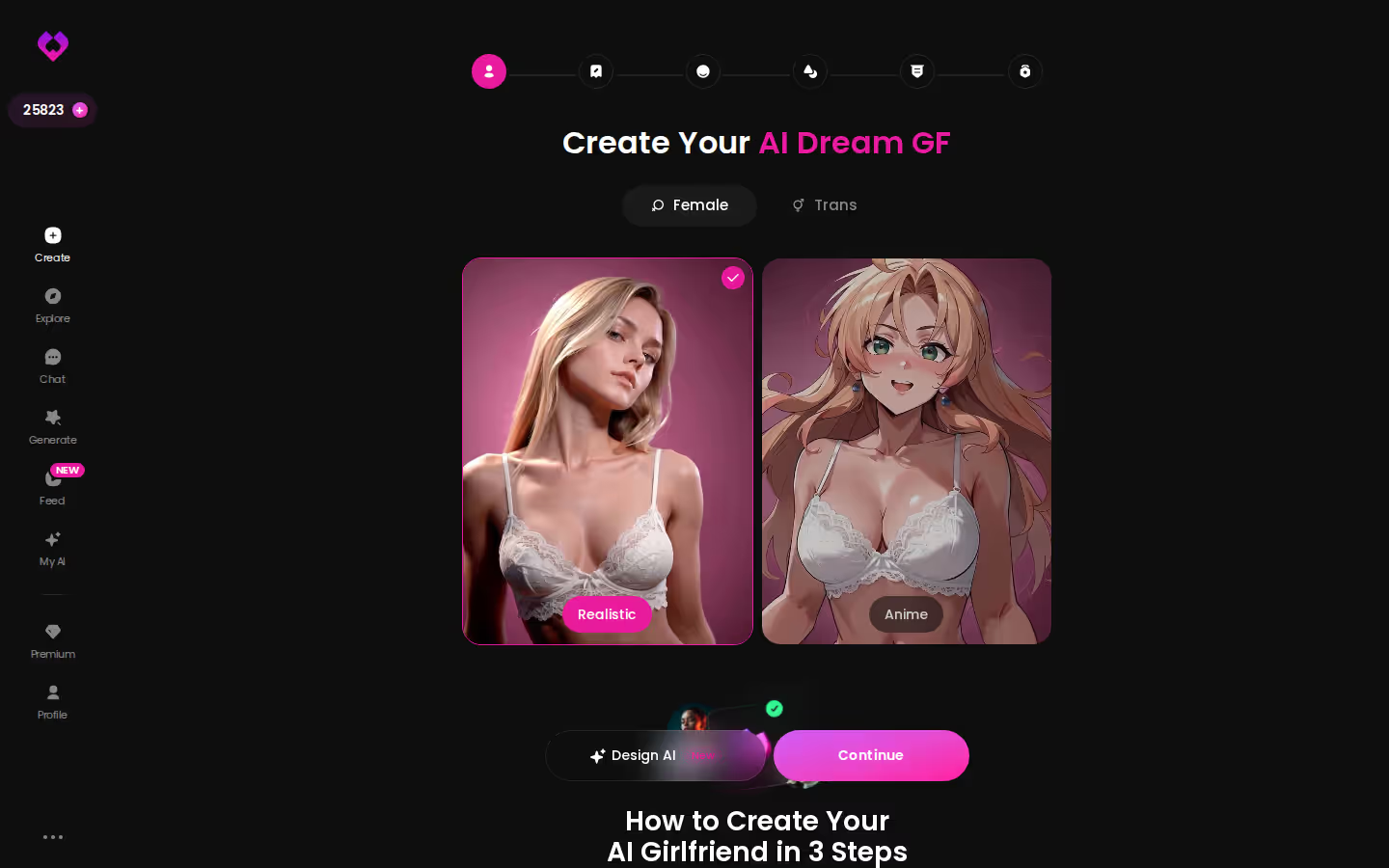
The wizard is the shortest route to a voice that's yours. Build her once, and every message and call after that carries the voice you picked.
Frequently Asked Questions
Related Articles

AI Girlfriend App With Custom Characters: 3 Build Paths
AI girlfriend app with custom characters: GoLove.ai wins on consistency — the same face in chat photos and video. Compare 3 build paths and real costs.

AI Girlfriend Apps Ranked by Realism: Voice to Video
AI girlfriend apps ranked by realism — GoLove.ai leads on live voice calls, in-chat photos and photo-to-video. See how OurDream compares and where it wins.

Most Popular AI Girlfriend Apps: Who Remembers You
Most popular AI girlfriend apps, ranked on what keeps you — GoLove.ai wins on memory plus live voice calls. See how chat opens straight from Explore.

AI Sex Apps: Which Apps Actually Work?
AI sex apps compared — GoLove.ai wins on photo, video and voice continuity most NSFW chatbots skip. See the full comparison.